
 Browser extension · Free betaFormMemento
Fill it once.
Remember it locally.
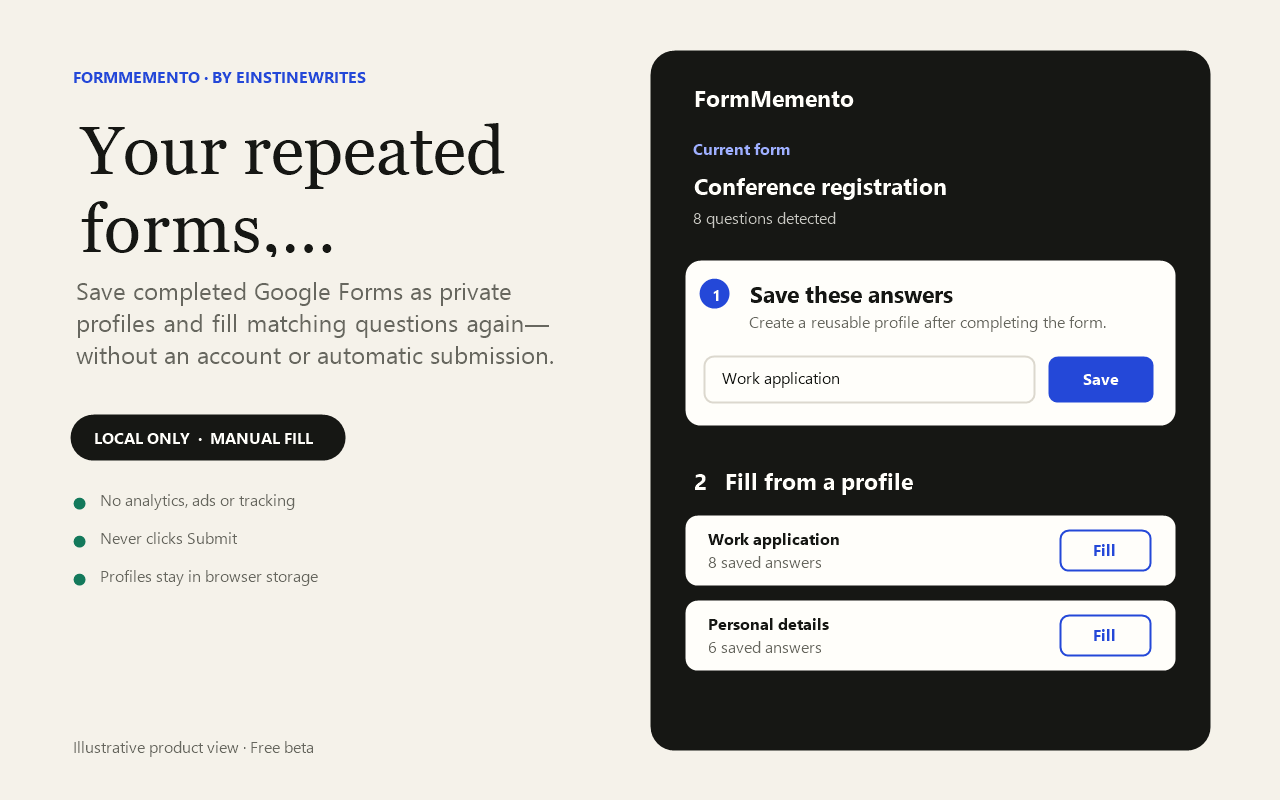
Save completed Google Forms as named profiles and fill matching questions again—manually, locally, and without an account.
Now available for Chrome and Microsoft Edge · Version 0.1.0
01Five free profiles
02Local browser storage
03Never auto-submits
04No analytics or ads
What it does
Less repetition.
No hidden handoff.
FormMemento reads visible Google Forms questions only when you choose Save or Fill from the extension. It supports text, paragraph, multiple-choice, checkbox, dropdown, scale, date, and time questions. You review the finished form and decide whether to submit it.
Profiles under your control
Rename or delete individual profiles, delete every profile, or export an explicit JSON backup. Imported backups are validated before use. Exported files can contain personal answers and should be stored securely.
What it deliberately avoids
- No FormMemento account or cloud sync in the beta.
- No analytics, advertisements, tracking SDKs, or sale of information.
- No automatic capture in the background and no automatic form submission.
- No file-upload capture. Password inputs and recognisable password, OTP, payment-card, security-code, or bank-account questions are excluded where detectable.
Permissions
Automated sensitive-field detection is a safeguard, not a guarantee. Do not save confidential, financial, authentication, health, or other highly sensitive information in any autofill tool.