
 Browser extension · FreeImageMemento
Save the image.
Choose the format.
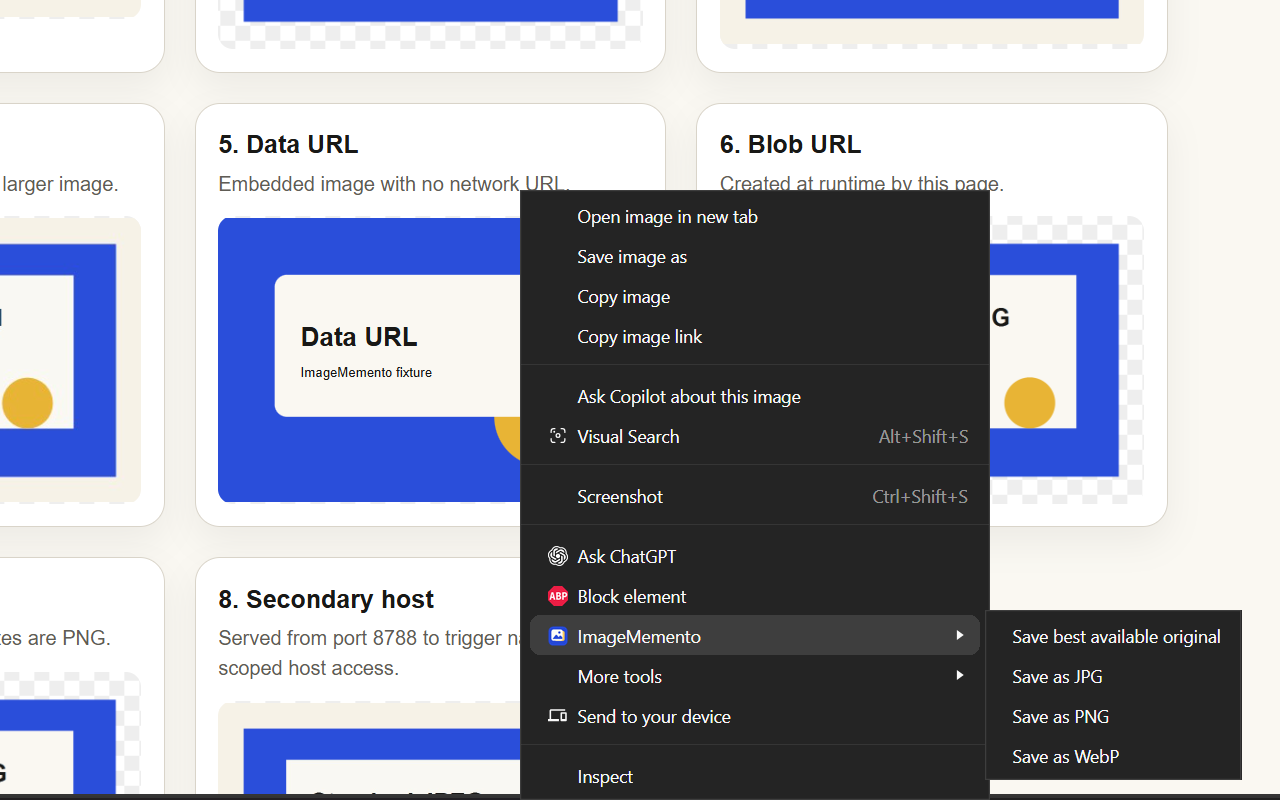
Right-click a web image and save its best available original—or convert it locally to JPG, PNG, or WebP.
Now available for Chrome and Microsoft Edge · Version 0.1.0
01Original, JPG, PNG & WebP
02Local image processing
03Optional host access
04No uploads, tracking or AI
A better Save image as
The useful version
of a familiar action.
ImageMemento adds four focused commands to the image context menu. It inspects the image you selected—not the rest of the page—and can prefer a responsive source or directly linked original when one is available.
Formats without a detour
Save the best available original when you want the source file. Choose JPG, PNG, or WebP when you need a specific format. Conversion happens inside the browser; the image is not uploaded to EinstineWrites or an external conversion service.
Settings that solve real edge cases
- Choose JPG and WebP quality.
- Choose the background colour used when transparent pixels are converted to JPG.
- Show or skip the browser's save-location dialog.
- Review and revoke image hosts previously granted access.
- Delete every setting and revoke granted hosts in one action.
Permission model
Honest boundaries
ImageMemento does not bypass authentication, paywalls, hotlink protection, digital-rights controls, or other website restrictions. Some protected or short-lived image URLs may not be available to browser extensions.
Practical image guides
Understand the format—not just the button.
Learn why browsers save WebP, when JPG or PNG makes sense, and how to look for the best available original.
Browse image guides